 panovi
 guides
From your first video to tips for travel and sports, plus what’s new. Everything you need to get the most out of panovi.

Getting started with panovi — shooting your first video
How to shoot an edge-to-edge panoramic video with two iPhones and a tripod. We walk through it in order — pair, place, shoot, stitch, and zoom in.
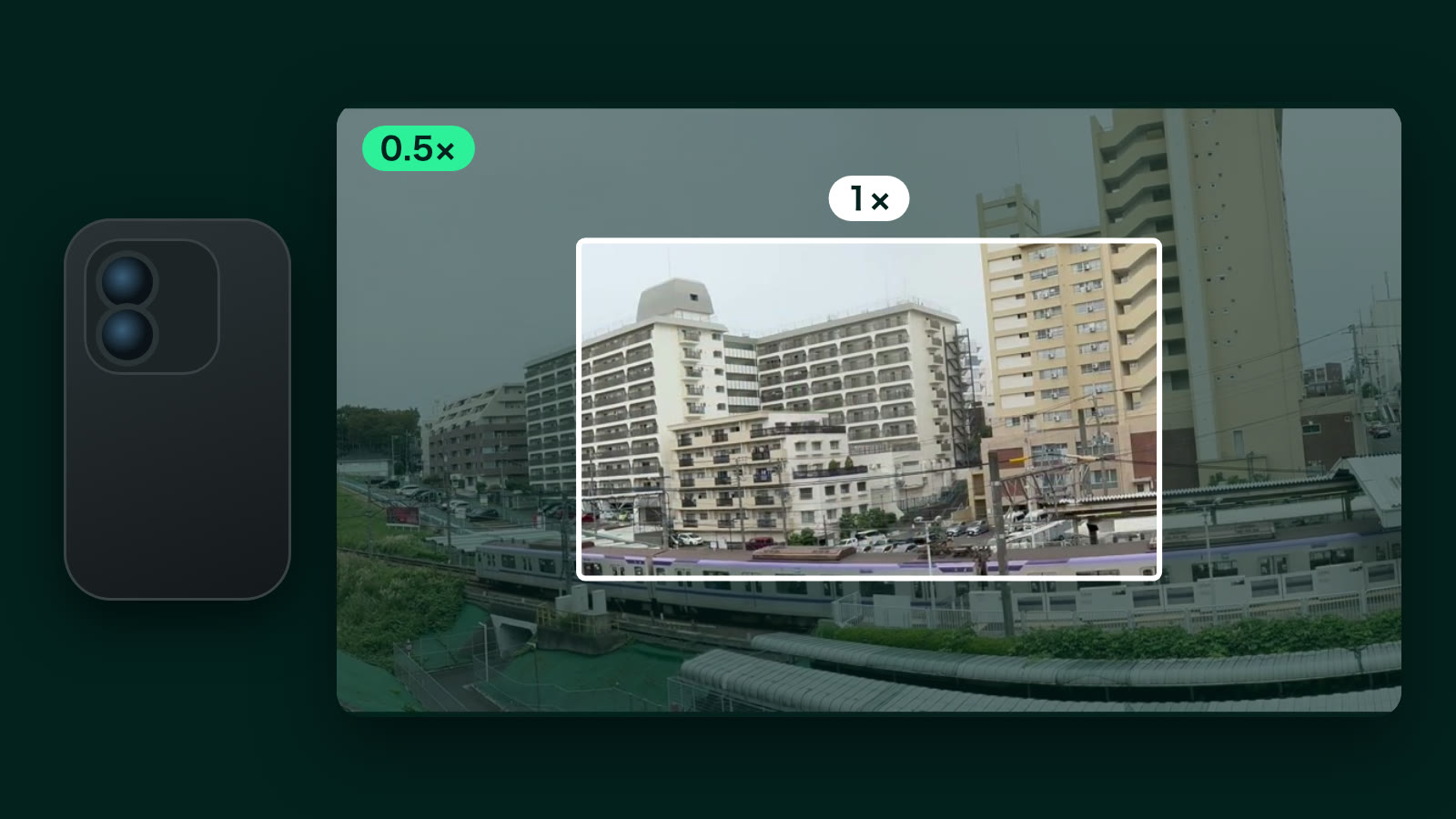
You can now shoot with one iPhone — wide and ultra wide at the same time
The new “Record with one phone” records with the wide and ultra wide lenses at the same time and turns them into one video. Here is how it works, from zooming while you shoot and recording your zoom to fixing how close you get afterward.
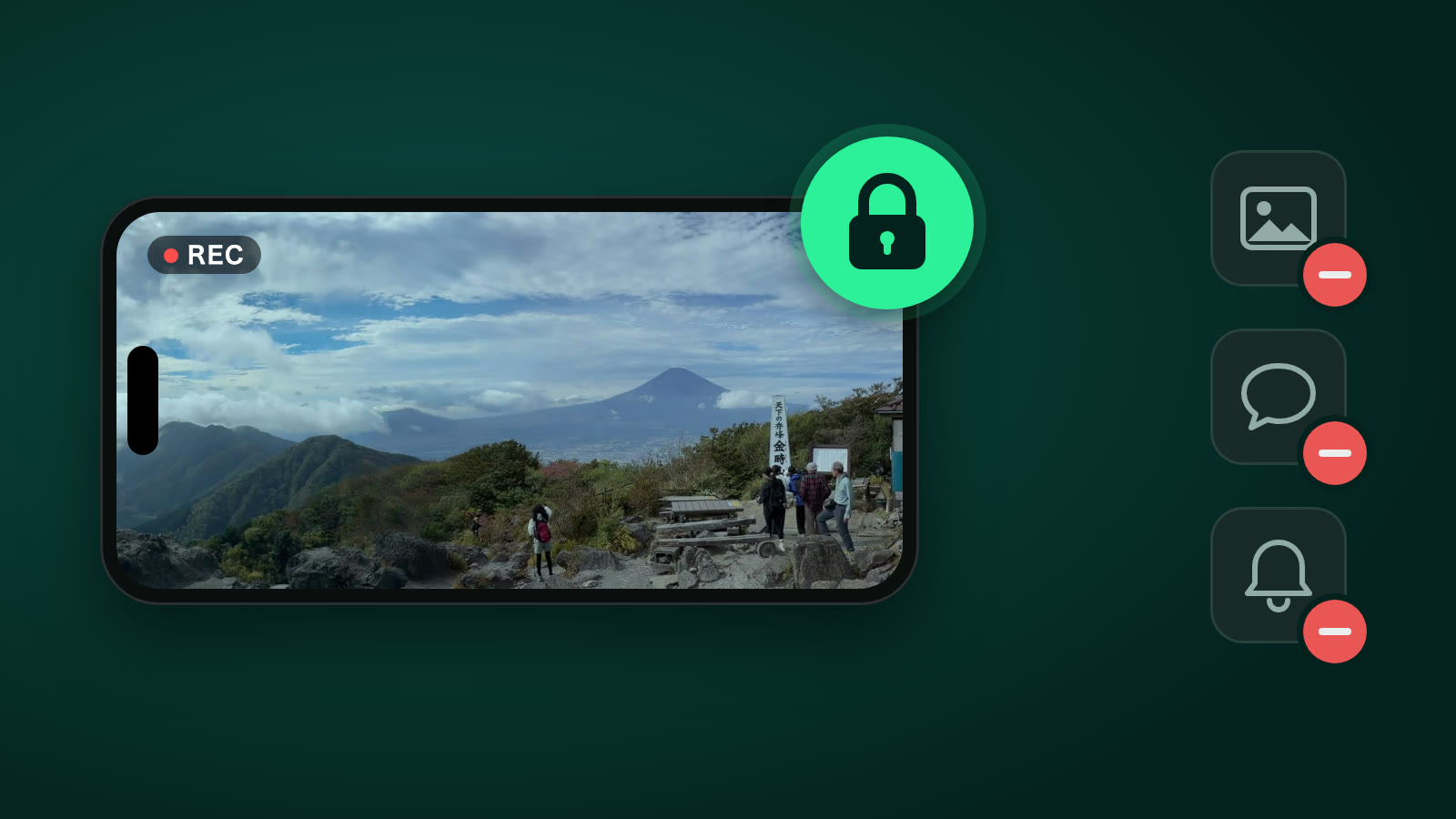
How to lend your iPhone safely — keep it on panovi with Guided Access
The second iPhone for a panoramic video can be one you borrow from family or a friend. With Guided Access, built into every iPhone, the borrowed iPhone stays on the panovi screen — no photos, no messages, no notifications. Here is how to set it up, shoot, and clean up afterward, in about three minutes.
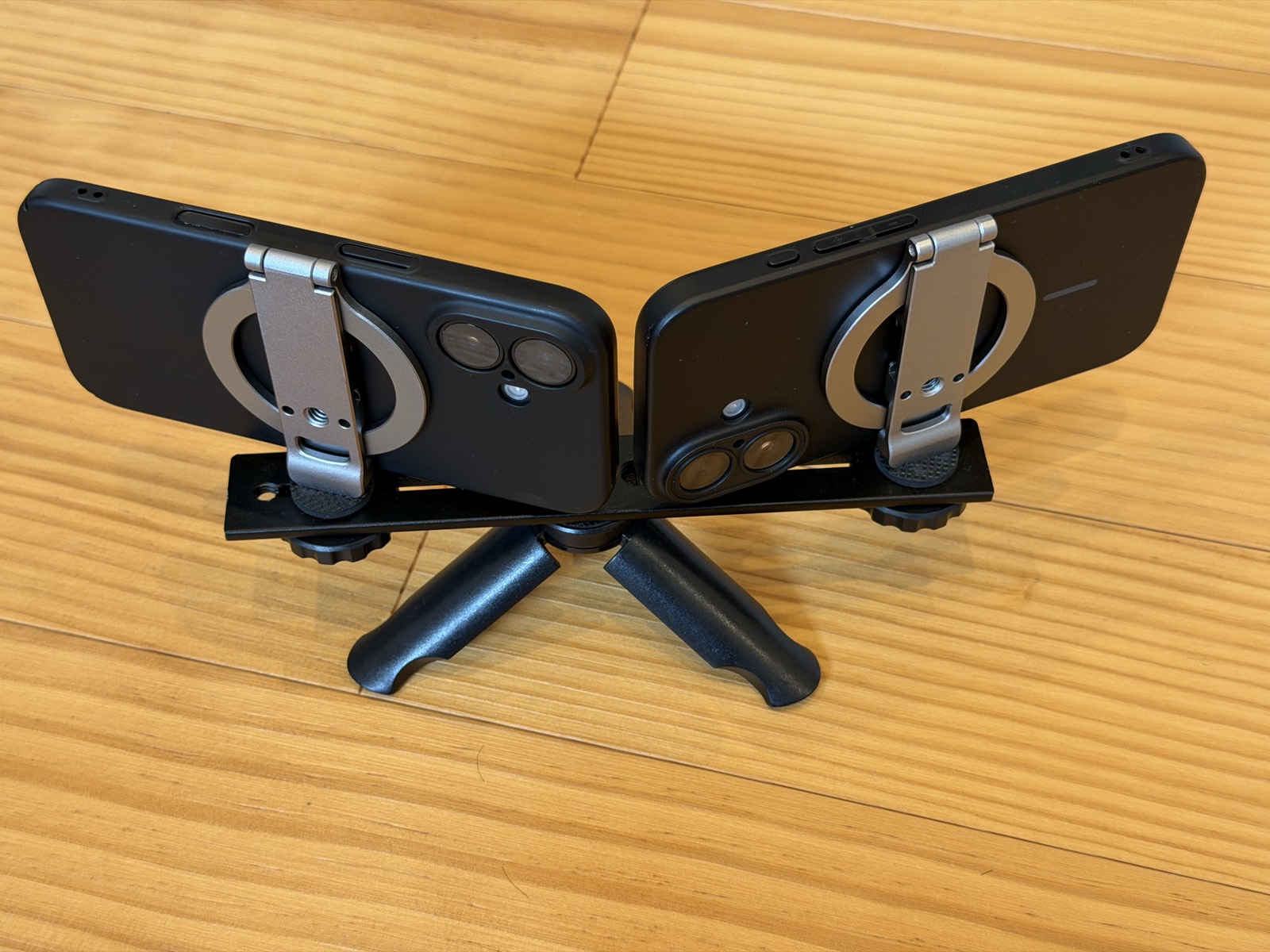
Placing your iPhones for a clean stitch — the tripod and the shallow V
How to build the mount that holds two iPhones on one tripod, and how to place them for a clean seam in your panoramic video. Plus how to use the setup check and the 3-second preview.
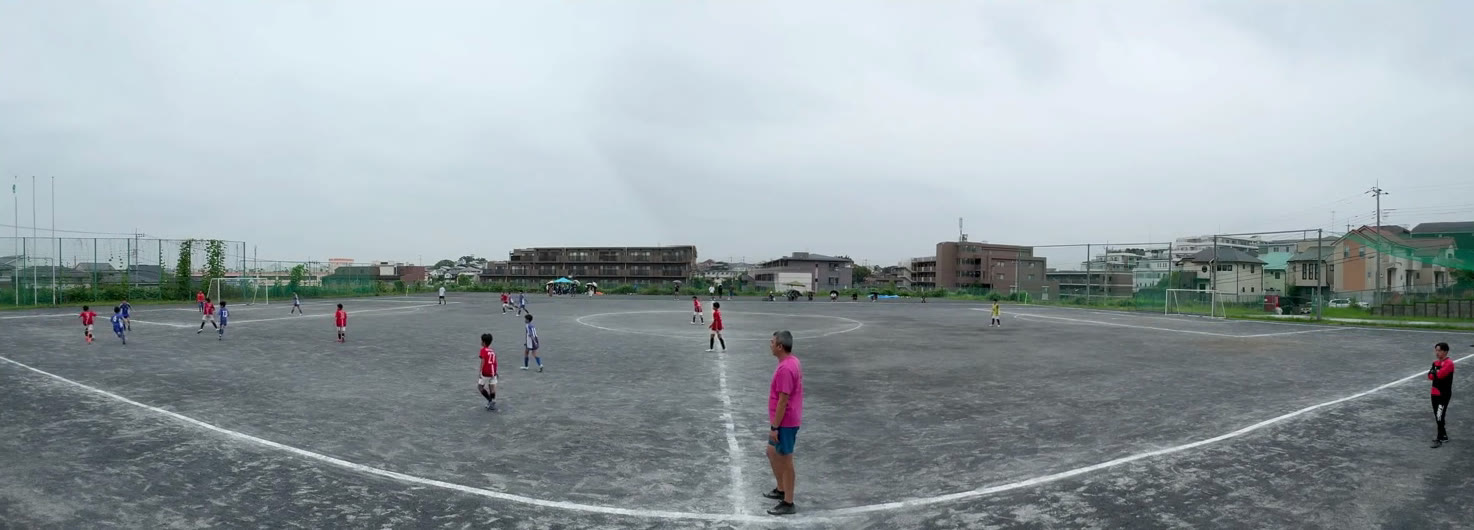
Film a whole soccer match — where to set up, the remote and the battery
How to film a match from start to finish as a panoramic video, with both goals in frame, without touching the tripod. Where to set up, a third iPhone as a remote, power save, free space, and pricing for long stitches.